
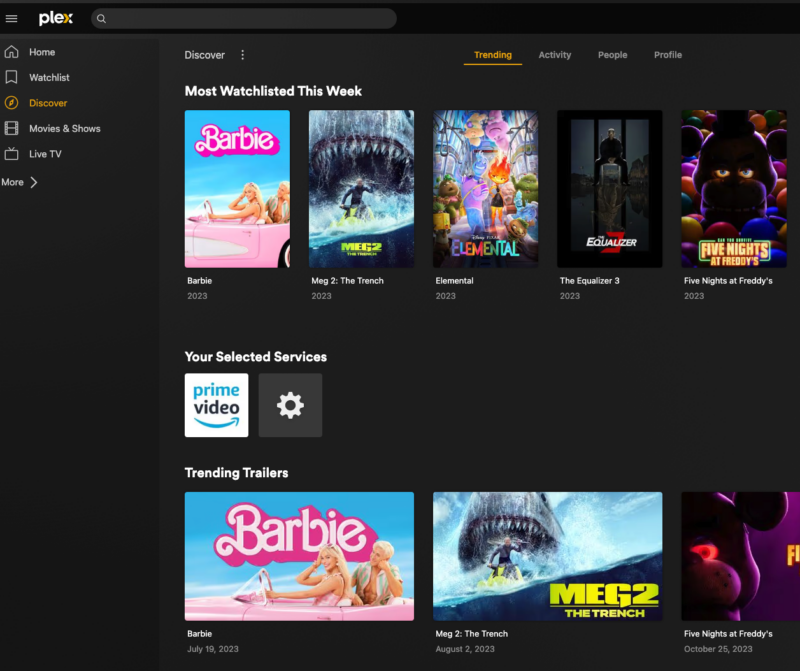
A couple of years ago, my Plex Media Server quietly went dark. The Mac Mini I was running it on aged out of Plex’s supported hardware requirements, and rather than immediately replace it, I just… let it sit. Life got busy. The server collected dust. My carefully organized media library, years of ripping and tagging and meticulously sorted movie posters, just languished in a corner of my home network, technically present and functionally ignored.
Recently, though, I decided to finally do something about it. New hardware, fresh install, a whole re-rip of the collection. The comeback arc was underway.
So there I was, logging back in, poking around the settings, feeling pretty good about getting the band back together — when I thought to myself: you know what, while I’m at it, I should finally just buy that lifetime Plex Pass. It was $119.99. I’d been meaning to grab it for years. Now seemed like the time.
Except it wasn’t $119.99 anymore. It was $249.99. Had been since April 2025, apparently, while I was busy not paying attention.
And then, before I even fully processed that, I got the email. Plex is raising the lifetime price again — to $749.99 — on July 1, 2026.
So to be precise about the full scope of this situation: I did not merely procrastinate on a $119.99 lifetime pass. I procrastinated so completely that the price doubled without my knowledge, and I discovered the first increase only through the announcement of the second one. The timing is, to put it charitably, impressive.
Before we get to whether you should act before the July 1 deadline, though, let’s back up. If you’re a casual Plex user — or someone who also let their setup go quiet for a while — you may not know what Plex Pass actually gives you, or whether it’s worth the current price at all. Let’s break it down from the beginning.
What Is Plex, Anyway? (A Quick Refresher)
Plex Media Server is software you install on a computer, NAS device, or home server. It organizes your personal media collection — movies, TV shows, music, photos — and makes it streamable on basically any device you own. Think of it as building your own private Netflix from media you already have.
The free version works remarkably well for this core purpose. You can set up a server, organize your library with artwork and metadata, and stream to any device on your home network without spending a dime. For a lot of people, that’s genuinely plenty.
Then there’s Plex Pass, the paid subscription tier that unlocks a deeper set of features. The question — especially right now — is whether those features are worth paying for, and whether the lifetime price is still reasonable before it jumps to three times its current cost.
What You Get for Free
The free tier is genuinely solid, and it covers more ground than you might expect. Here’s what you can do without paying anything:
- Set up and manage a full Plex Media Server
- Organize your entire library with metadata, artwork, and cast information
- Stream to any device on your local home network — phones, tablets, smart TVs, streaming sticks, computers
- Use voice control for playback on supported devices
- Create and manage custom playlists
The catch? Once you leave your home network, things get complicated fast. Remote streaming — watching your Plex library from a hotel, a friend’s place, or anywhere outside your home — requires either a Plex Pass or the newer Remote Watch Pass tier. More on that shortly.
What Plex Pass Unlocks
This is where things get interesting. Plex Pass adds a meaningful set of features that transform the experience, especially if you stream your library outside the home or maintain a large collection.
Remote Streaming
With Plex Pass on the server admin account, anyone you’ve granted library access to can stream your media from anywhere in the world. This feature alone is worth the price for many users. Without it, your library is essentially locked to your home Wi-Fi.
Skip Intro and Skip Credits
Yes, this is a premium feature now. Plex Pass lets you skip through opening sequences and end credits with just two clicks, and it applies to your personal media library. Anyone who has binged a show and manually scrubbed past the same 90-second intro twelve times knows exactly why this matters.
Hardware Transcoding
When Plex converts video to a format a given device can play, it normally taxes your server’s CPU. Hardware Transcoding redirects that work to your GPU instead, making the process dramatically faster and allowing multiple simultaneous streams without choking your server.
Offline Downloads
Want to load up your phone before a flight? Plex Pass lets you download content from your personal library for offline playback. Honestly, this probably should be a free feature. But here we are.
Live TV and DVR
If you have an over-the-air antenna and a compatible tuner device, Plex Pass lets you watch and record live broadcast TV directly through Plex. This is one of the most underrated features for cord-cutters, and it integrates seamlessly with your existing library.
Plexamp
Plexamp is the dedicated music player companion app for Plex, and it’s genuinely excellent for anyone with a large local music collection. Several of its best features — including Sonic Sage, Guest DJ, and Mix Builders — are exclusive to Plex Pass subscribers.
Plex Home and Plex Dash
Plex Home lets you create managed user accounts with individual watch histories and parental controls — ideal for families. Plex Dash is a companion app for monitoring your server’s performance remotely in real time. Both are Plex Pass exclusives.
Wait — What’s the Remote Watch Pass?
Plex recently introduced a more affordable tier called the Remote Watch Pass. At $2.99 per month or $29.99 per year, it does exactly one thing: it lets you stream your personal media remotely from any Plex server you have access to.
That’s it. No Skip Intro. No downloads. No DVR. Just remote access.
It’s a smart option if all you want is to watch your own — or a friend’s — Plex library while traveling. However, if you want the full feature set, Plex Pass remains the only way to get there.
So, About That Lifetime Price Hike…
Let’s be direct about the math.
Right now, a Lifetime Plex Pass costs $249.99. Starting July 1, 2026, that price becomes $749.99. That’s a $500 jump — nearly a 200% increase — and it follows a price that had already doubled from $119.99 to $249.99 in April 2025. A change that, as previously established, I missed entirely.
The annual subscription stays at $69.99 per year. At the current lifetime price of $249.99, you break even in roughly 3.5 years of annual subscriptions. At $749.99, you’d need to subscribe for over a decade before the lifetime deal makes basic financial sense.
Ten years is a long time to bet on any piece of software.
For context, Plex has acknowledged in their announcement that they’ve considered eliminating the Lifetime tier entirely, citing the stability of recurring subscriptions. The massive price hike may well be their way of quietly walking it out the door while still technically offering it.
Should You Buy the Lifetime Pass Before July 1?
Honestly? It depends entirely on how you use Plex.
Consider buying it if…
- You already rely on Plex regularly, especially for remote streaming or Skip Intro
- You plan to use Plex for the long term — five or more years is a reasonable horizon at $249.99
- You maintain a large media library on a dedicated home server
- You’d rather make one payment and forget about it than manage another recurring subscription
Think twice if…
- You only use Plex on your home network and have no plans to change that
- You’ve been a casual, occasional Plex user and aren’t sure you’re truly committed
- $250 is a meaningful purchase right now and you’d rather pay $7 a month on your own schedule
- You have a habit of canceling subscriptions and never looking back
As for me — I’m buying it. I’m rebuilding a new server anyway, I’ve used Plex for years, and I’ve now missed the good pricing not once, not twice, but in two completely separate ways: first by procrastinating on $119.99, then by being so checked out that I didn’t even notice when it became $249.99. At $249.99, the math still makes solid sense across a few years of saved annual subscriptions. At $749.99, I’d have a much harder time justifying it.
Suffice it to say, I am not waiting for the follow-up email.
The Bottom Line
The free version of Plex is legitimately excellent. It streams beautifully on your local network, keeps your library organized and polished, and costs you nothing. For plenty of users, that’s the whole game right there.
Plex Pass, on the other hand, is built for users who want to go further — remote streaming, better binge-watching tools, music features, DVR functionality, and offline access. It’s a meaningful upgrade, not just a cash grab dressed up as one.
The lifetime pricing question is genuinely urgent right now. You have until July 1 to lock in $249.99 before the price triples. Whether that’s the right call comes down to how serious you are about Plex — and how much faith you have that it’ll still be worth using five years from now.
Some of us have already learned that lesson the hard way. More than once.
One More Thing: The Jellyfin Question
It would be dishonest to write about this pricing situation without acknowledging the elephant in the room. A lot of longtime Plex users are genuinely angry about this increase — and not in a “grumble and pay it anyway” way. Forum threads and subreddits are full of people actively migrating their setups to Jellyfin, a free and open-source media server that covers much of the same ground as Plex without a paywall in sight. The mood in those communities is not subtle. When you triple the price of something people have built years of their home media setup around, some of them are going to leave, and some of them are going to be loud about it on the way out.
I get it. Honestly, I am considering Jellyfin myself. The timing of my server rebuild makes it a natural moment to evaluate the alternatives rather than just defaulting back to what I already know. Whether Jellyfin is actually a worthy replacement — or a worthy addition — for someone who has lived in the Plex ecosystem for years is a question worth taking seriously. It’s also a whole separate blog post, which I fully intend to write once I’ve spent enough time with it to say something useful. Stay tuned.
Pricing current as of May 2026. Check plex.tv/plans for the latest details before purchasing.
0 Comments